Curso de Academind Pro
React JS, Angular & Vue JS - Quickstart & Comparison
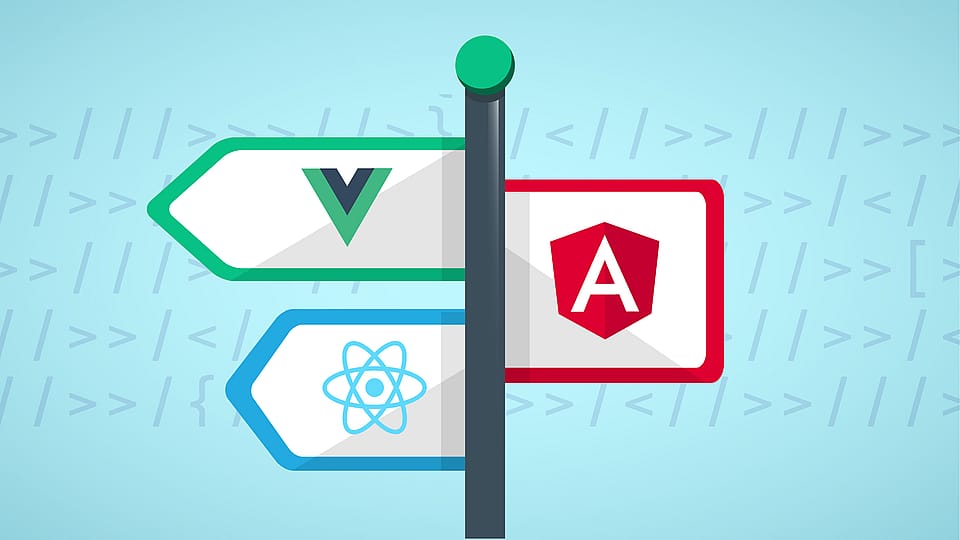
Angular (Angular 2+), React or Vue? Get a Crash Course on each of them and a detailed comparison!
- 8 secciones · 142 lecciones
- 7 h y 47 min en total
Sobre este curso
You know JavaScript basics, but the moment you look beyond “vanilla” code, everything explodes into new terms and choices. Frameworks, libraries, packages, build tools—suddenly you’re not sure what matters or what to learn next.
In this course, you’ll get a clear introduction to the modern JavaScript landscape and a guided, side-by-side look at Angular, React.js, and Vue.js. Instead of guessing, you’ll understand what each piece is for, how the options relate, and why teams reach for frameworks in the first place.
By the end, you’ll be able to confidently choose the framework that fits your goals and your project constraints, explain your decision using concrete comparison dimensions, and move forward into deeper learning with a solid foundation in today’s JavaScript tooling ecosystem.
Lo que aprenderás
You’ll map the modern JavaScript ecosystem and compare Angular, React.js, and Vue.js using practical decision criteria—plus understand where tools like webpack and languages like TypeScript fit in.
- 01
Decode JS terminology
Explain what packages, tools, libraries, and frameworks do in a modern JavaScript workflow, and describe how these pieces fit together so the ecosystem feels navigable instead of chaotic.
- 02
Library vs framework
Distinguish a library from a framework with clear reasoning, so you can evaluate new options you encounter and understand what you’re signing up for when adopting a framework.
- 03
Framework foundations
Work with the core ideas behind Angular, React.js, and Vue.js so you can read beginner code, follow tutorials, and recognize what’s “normal” in each ecosystem.
- 04
jQuery in context
Clarify the role of jQuery today and articulate how it differs from modern frameworks—so you can decide when jQuery is enough and when a framework is the better fit.
- 05
Choose the right tool
Compare Angular, React.js, and Vue.js across multiple dimensions and justify which one to pick for a given job, instead of choosing based on hype or guesswork.
- 06
Understand build workflows
Describe why build workflows exist, what webpack contributes, and how ES6 and TypeScript relate to modern development—so “setup” stops being a black box.
Requisitos previos
Basic JavaScript knowledge is required.
Advanced JavaScript knowledge helps but isn’t required.
No prior experience with any JavaScript framework or library is needed.
Para quién es este curso
JS beginners-plus
You can write JavaScript, but you feel stuck at the “what’s next?” stage. You want to do more with JavaScript and need a clear on-ramp into frameworks without getting overwhelmed.
Framework choosers
You keep hearing Angular, React.js, and Vue.js, but you don’t know which one to commit to. You want a grounded comparison so your next step isn’t a blind bet.
Confused self-learners
You’ve run into terms like packages, tools, and build workflows and it all feels like noise. You want someone to connect the dots so you can learn efficiently instead of collecting random tutorials.
Temario
Echa un vistazo a la estructura y el ritmo de este curso antes de empezar.
1Getting Started19 lecciones · 1 h y 4 min
- 01Introduction1:18 min
- 02The Goal of this Course2:31 min
- 03Join our Online Learning Community0:00 min
- 04Understanding the Role of JavaScript3:48 min
- 05The World of JavaScript1:36 min
- 06Using Vanilla JavaScript & Understanding Its Limitations (1/3)5:17 min
- 07Using Vanilla JavaScript & Understanding Its Limitations (2/3)2:12 min
- 08Using Vanilla JavaScript & Understanding Its Limitations (3/3)4:40 min
- 09Analyzing the Vanilla JavaScript Solution2:28 min
- 10Improving the App with jQuery7:01 min
- 11More JavaScript Libraries: Adding Lodash2:56 min
- 12The Role of JavaScript Libraries1:20 min
- 13Libraries vs Frameworks2:50 min
- 14Using Vue.js (A JavaScript Framework)15:02 min
- 15Understand other Parts of the JavaScript World3:55 min
- 16JavaScript Versions and Languages - ES6 and TypeScript3:56 min
- 17Course Structure2:59 min
- 18Course Source Code0:00 min
- 19The Academind Pro Referral Program0:00 min
2Understanding JavaScript Frameworks in General9 lecciones · 21 min
- 01Module Introduction0:33 min
- 02JS Frameworks in Fullstack Applications2:37 min
- 03JS Frameworks in Single-Page-Applications2:45 min
- 04An Example for a Framework in a Fullstack Application1:33 min
- 05An Example for a Framework running a Single-Page-Application1:38 min
- 06Fullstack Approach - Pros and Cons4:07 min
- 07Single-Page-Application - Pros and Cons4:28 min
- 08Prerequisites for the Different JS Frameworks3:37 min
- 09Module Resources0:00 min
3Vue.js - An Introduction34 lecciones · 1 h y 39 min
- 01Module Introduction1:33 min
- 02Creating a Basic Vue.js Application3:23 min
- 03In a Nutshell: How Vue.js Works2:06 min
- 04Handling Events and Updating the DOM3:57 min
- 05Rendering Content Conditionally3:15 min
- 06Outputting Lists3:27 min
- 07Binding HTML Attributes & Properties to Data3:38 min
- 08Styling Elements Dynamically3:24 min
- 09Setting CSS Classes Dynamically1:45 min
- 10Using Shorthands0:00 min
- 11Using Multiple Vue Instances1:39 min
- 12Limitations of Multiple Vue Instances1:55 min
- 13Creating and Using Components4:30 min
- 14Passing Data into Components1:42 min
- 15Emitting Custom Events in Components3:15 min
- 16Template Restrictions1:37 min
- 17Two-Way-Binding to Input Fields1:55 min
- 18Time to Practice - Vue.js - Problem2:20 min
- 19Time to Practice - Vue.js - Solution15:33 min
- 20Creating Vue.js Projects with the Vue CLI3:16 min
- 21Why do we need Node.js and NPM?1:32 min
- 22Using the Vue CLI to Create Projects3:11 min
- 23Understanding the Project Folder4:50 min
- 24Understanding .vue Files3:06 min
- 25How the Application Gets Rendered2:26 min
- 26Creating Global Components with .vue Files3:42 min
- 27Creating Local Components2:25 min
- 28Scoping Styles to Components1:18 min
- 29Creating a Single Page Application (SPA)1:08 min
- 30Adding Routing to the Application5:57 min
- 31Linking with router-link1:31 min
- 32Routing and the Server-Side2:15 min
- 33Wrap Up1:10 min
- 34Useful Resources & Links0:00 min
4Understanding Workflows & Webpack7 lecciones · 19 min
- 01Module Introduction0:58 min
- 02The Big Picture2:47 min
- 03The Role of Node.js and NPM3:38 min
- 04Why do we need a Development Server?2:30 min
- 05How Webpack Works: Entry & Output4:00 min
- 06How Webpack Works: Modules, Rules & Plugins4:24 min
- 07Wrap Up0:58 min
5React.js - An Introduction29 lecciones · 1 h y 42 min
- 01Module Introduction1:14 min
- 02Using React.js to Create a Basic App4:22 min
- 03Understanding How React.js Works and JSX3:45 min
- 04Outputting Dynamic Content1:20 min
- 05Handling Events and Updating the DOM4:22 min
- 06Creating a First Component2:48 min
- 07Passing Data into Components (Props)1:51 min
- 08Creating Components using ES6 Classes2:36 min
- 09Using State in React.js Components5:02 min
- 10What Happens Behind the Scenes2:17 min
- 11Rendering Conditional Content3:18 min
- 12Outputting Lists5:18 min
- 13Setting Styles Dynamically3:11 min
- 14Setting CSS Classes Dynamically2:05 min
- 15User Input & Two-Way-Binding3:23 min
- 16Using Multiple Components2:45 min
- 17Dumb Components1:13 min
- 18Passing Data from Child to Parent4:11 min
- 19Time to Practice - React.js - Problem2:35 min
- 20Time to Practice - React.js - Solution23:59 min
- 21Switching to a Local Setup & SPA1:22 min
- 22Using the "create-react-app" Package2:34 min
- 23Understanding the Created Project2:48 min
- 24Using the Local Setup2:38 min
- 25Adding React Router and Routes for the App6:36 min
- 26Adding Links1:46 min
- 27The React Router and a Server1:20 min
- 28Wrap Up1:23 min
- 29Useful Resources & Links0:00 min
6Angular - An Introduction32 lecciones · 1 h y 36 min
- 01Module Introduction1:07 min
- 02What It's Good at and What It's Not Good At1:45 min
- 03Understanding Angular Versioning0:48 min
- 04TypeScript3:00 min
- 05TypeScript - A Brief Introduction0:00 min
- 06Creating an Angular Project with the CLI3:46 min
- 07Understanding the Project Structure3:31 min
- 08Understanding the Role of Components and the App Component3:01 min
- 09How the App Starts5:16 min
- 10Understanding the App Module2:04 min
- 11Outputting Data with String Interpolation1:31 min
- 12Handling Events2:41 min
- 13Rendering Content Conditionally3:26 min
- 14Outputting Lists4:02 min
- 15Binding Data to (HTML and other) Properties2:57 min
- 16Adding Dynamic Styles to Elements4:23 min
- 17Adding CSS Classes Dynamically2:45 min
- 18When to use the * Syntax1:00 min
- 19Using Multiple Components6:09 min
- 20Passing Data Into Components2:04 min
- 21Emitting Custom Events From Components5:39 min
- 22Using Two-Way-Binding3:04 min
- 23Time to Practice - Angular - Problem1:53 min
- 24Time to Practice - Angular - Solution15:10 min
- 25Using the CLI to Generate Components1:58 min
- 26Nesting Multiple Components1:56 min
- 27Scoping Styles to Components1:17 min
- 28Adding Routing & Routes4:52 min
- 29Adding Links1:56 min
- 30The Angular Router and the Server1:08 min
- 31Wrap Up1:31 min
- 32Module Resources0:00 min
7Comparing the Frameworks11 lecciones · 1 h y 4 min
- 01Module Introduction1:12 min
- 02Possible Comparison Dimensions3:43 min
- 03Dimension 1: The Learning Curve7:54 min
- 04Dimension 2: Downscaling & Fullstack Applications6:53 min
- 05Dimension 3: Upscaling & SPAs10:40 min
- 06Dimension 4: Performance9:00 min
- 07Dimension 5: Ease of Deployment (The Way from Dev to Production)8:13 min
- 08Dimension 6: Popularity & Job Market12:36 min
- 09The Verdict2:31 min
- 10...What About jQuery?1:41 min
- 11Module Resources0:00 min
8Course Roundup1 lección · 2 min
- 01Roundup1:43 min
¿Listo para empezar?
Compra este curso en Academind Pro u obtén todos los cursos con All Access en Academind Infinite.
Este curso en Academind Pro
69 US$pago único
IVA incluido · Garantía de devolución de 30 días
- Acceso de por vida a este curso
- Todas las futuras actualizaciones de este curso
- Recursos descargables, código y un certificado
All Access en Academind Infinite
25 US$al mes
o
249 US$249 US$ al añoAhorra 17 %- Todos los cursos, con todas sus funciones
- Cursos nuevos en cuanto salen
- Tu tutor, con todas sus funciones
All Access también incluye todos los cursos de Academind Pro.